Userinteface
The user interface of the EasyFeeder Station is divided into several areas:
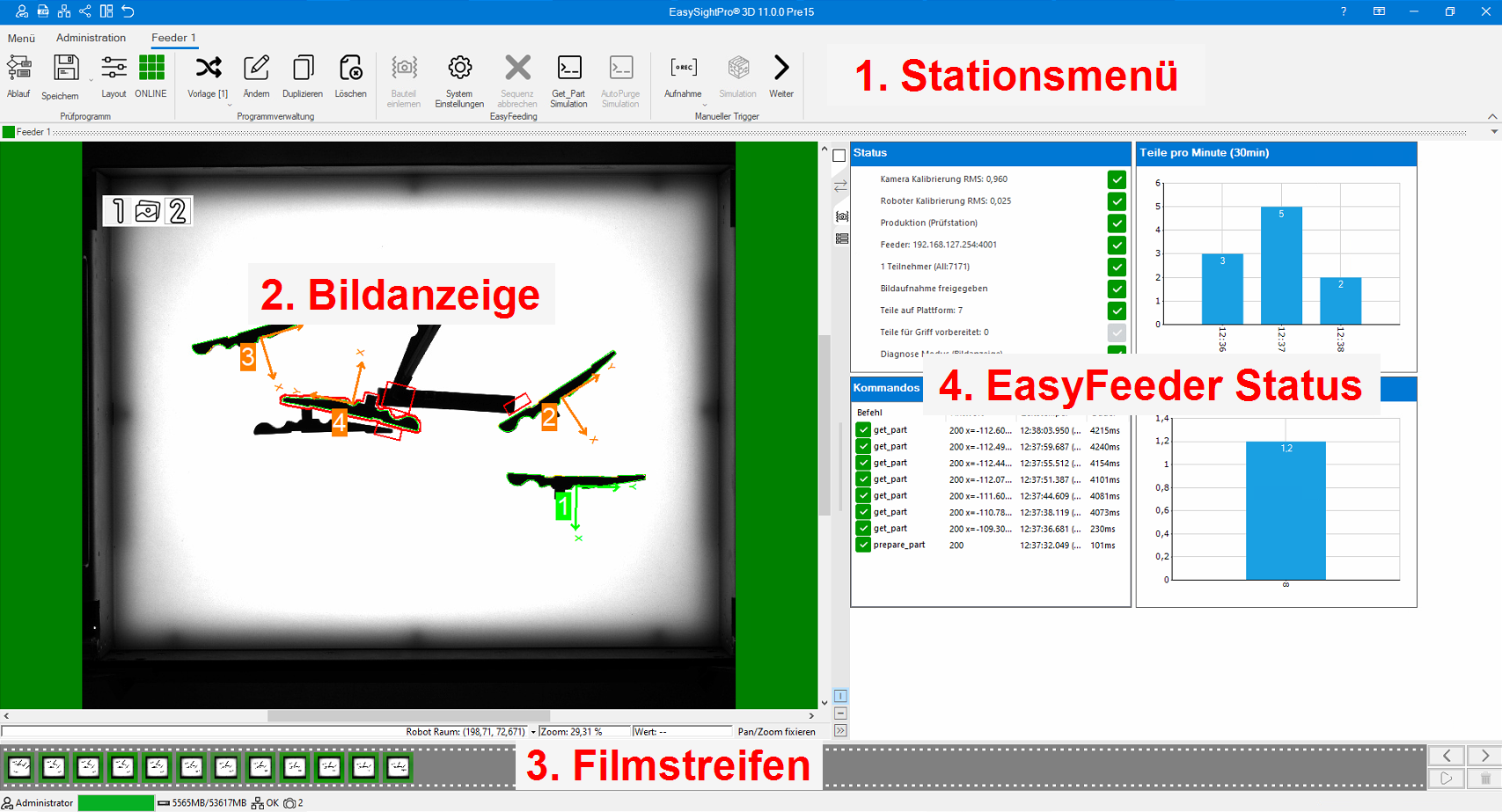 |
1. Station menu | A separate menu tab with the corresponding entries is visible for each station. These are used to control and parameterise the test station. |
| 2. Image display | Displays the current image with its overlays. | |
| 3. Filmstrip | Enables access to the last recorded camera images. This is very helpful for diagnostic purposes. | |
| 4. EasyFeeder status | The status area shows the station's current information and provides access to parameters via EasyTable. |
 1. Station menu
Each feeder station has its own tab in the menu with a corresponding menu:
Aktive program
All functions for interacting with the loaded programme are integrated in this panel.
| Name | Description | ||
|---|---|---|---|

|
Sequence |
Information: In EasyFeeder mode, this point is disabled for security reasons, as all changes are made automatically by the 'Teach-in component' wizard. |
|

|
Save |
Saves changes to the current programme. An arrow to the right of the symbol opens a submenu with additional functions. Information: All changes in 'Part teach-in' are automatically saved when the wizard is closed. |
|

|
Clear flag | This option resets the internal identification for the unsaved programme. | |

|
Set as start program | Activates the current programme as the start programme. This will activate it automatically the next time the system is started. | |

|
Reset part | Resets the part training. This option is useful after duplicating a programme. | |

|
Reset calibration | Resets the systemwide calibration. | |

|
Save |
Indicates that the test programme contains changes that have not yet been saved. In this state, it is not possible to change the test programme externally (PLC, robot). |
|

|
Layout | The appearance of the station display can be changed in the layout settings. | |

|
Offline | Indicates that the station is offline. Clicking on this item attempts to switch the station online. | |

|
Online | Indicates that the station is online. Clicking on this point attempts to switch the station offline. | |
Programme management
All functions for managing the test programmes are integrated in this panel.
| Name | Description | |
|---|---|---|

|
Programme change | Provides a list of all programmes and allows you to change the active programme manually. |

|
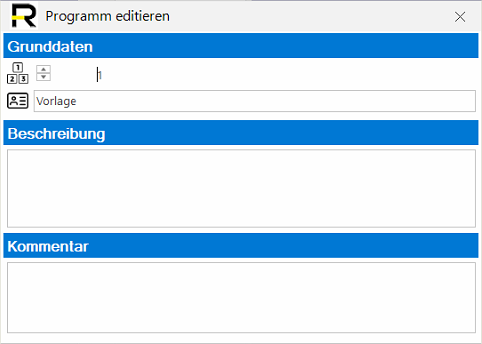
Edit | Allows you to change the programme data such as number, name, description and comment. |

|
Duplicate | Duplicates the current programme and selects it automatically. |

|
Delete | Deletes the current programme. |
Change existing programme:
EasyFeeding
This panel contains all EasyFeeder functions and accesses.
| Name | Beschreibung | |
|---|---|---|

|
Train part | Opens the wizard for training: camera, robot calibration, component, feeder |

|
Syste settings | Opens the parameter window for the EasyFeeder specific settings. |

|
Cancel sequence | If this item is active, a smart sequence is active and can be cancelled. |

|
Get_Part simulation | Inserts a 'Get part' command into the TCP server. This executes the complete 'Smart Part Detection' process. |
|
|
AutoPurge simulation | Include an 'AutoPurge' command in the TCP server. This executes the complete 'Smart Purge' process. |
Manual Trigger
This panel contains manual image capture using reporting and the simulation of this.
| Name | Description | |
|---|---|---|

|
Recording stopped | The temporary recording of data using reporting is deactivated. |

|
Recording active | Activates the temporary recording of data using reporting for the next 100 images. |

|
Simulation | Starts/stops the simulation of checks using reporting data records. |

|
TestRun | Opens the TestRun window. TestRun can be used to verify the quality of the test program using the IO/NIO database. |

|
Back | This option is only active during the simulation and allows you to switch back to the previous data set. |

|
Next | In camera mode (recording via software must be active in the camera), an image is recorded and analysed manually. If simulation is active, the system switches to the next data set. |
2. Image display
Displays the image for the current data record. If several images are available, they can be scrolled through using the displayed selector.
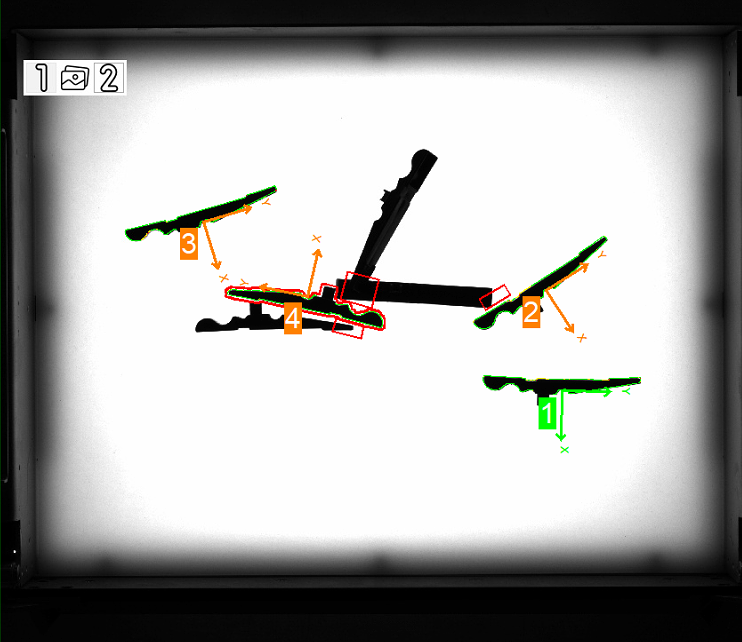
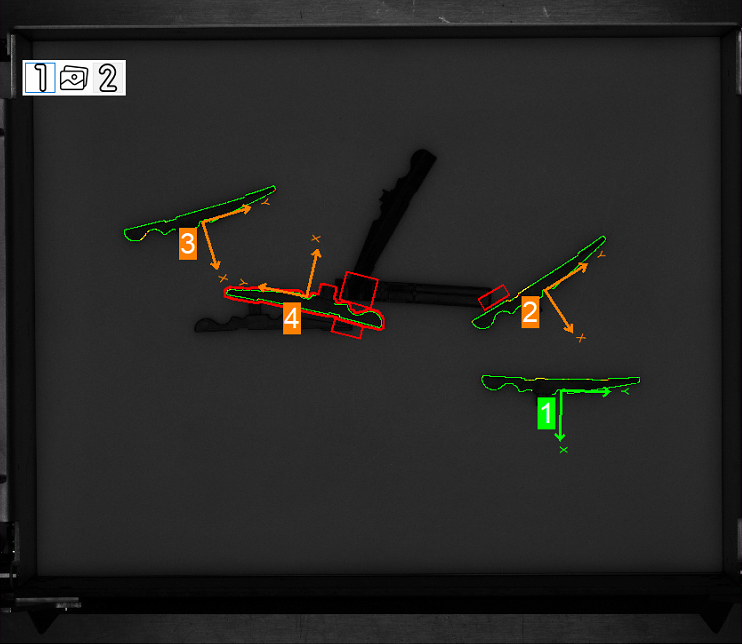
Information: If the image display no longer updates, check whether it was stopped with the film strip. Press  to release the display again.
3. Filmstrip
The filmstrip gives you access to the last images taken and allows you to scroll through, lock, save and delete them:
| Function | Description | |
|---|---|---|

|
Delete result | Deletes the selected data set from the film strip. |

|
Lock result | Locks the selected data record in the film strip and protects it against deletion. |

|
Unlock | Cancels the lock on the selected data record. |
|
|
Cancel all locks | Cancels the lock on all data records. |

|
Save result | Saves the selected data record to the hard drive via reporting. |
|
|
Save all results | Saves all data records in the filmstrip to the hard disc via reporting. |
Important: As soon as an entry in the filmstrip is selected, the filmstrip is paused and is no longer updated. The evaluation continues in the background and as soon as the pause is cancelled, the missing data records are added to the filmstrip. Example video:
Example video:
4. EasyFeeder status
The status shows the current operating status of the feeder, which is divided into 4 areas:
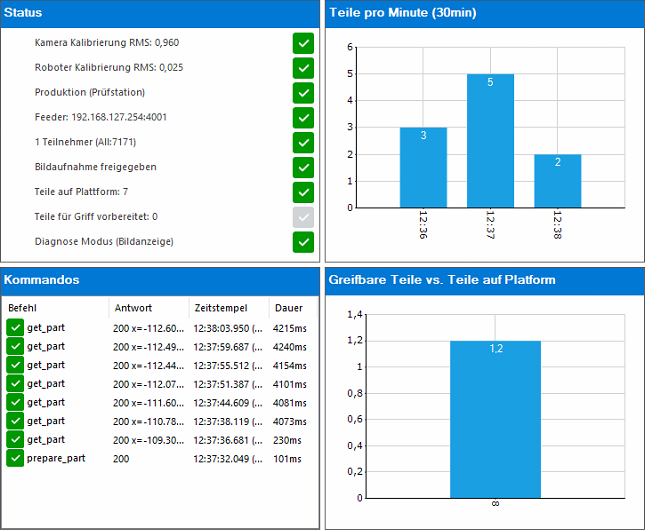
Status
Shows the current operating status of the feeder:
| Status | Description |
|---|---|
| Camera calibration | Displays the status of the camera calibration and the current Rms error. |
| Robot calibration | Displays the status of the robot calibration and the current Rms error. |
| Production (station) | Indicates whether the system is in production mode. Production = programme loaded and station active (online) |
| Feeder | Indicates the connection to the feeder. If the feeder is in alarm status (e.g. missing safety voltage), this is shown here. |
| Participants | Displays the number of connected TCP/IP participants for TCP/IP communication. With the Asyril robot plugins, two connections are established by default. |
| Image capture released | Indicates whether the image recording has been released via the interface. |
| Parts on platform | Displays the approximate number of parts from Smart Part Detection. This number is used for feeding by hopper. |
| Parts prepared for handle | Displays the number of parts ready to hand that can be picked up with 'Get part'. |
| Diagnostic mode (image display) | The diagnostic mode for the image display can be activated or deactivated here. In diagnostic mode, more information on intangible parts can be seen. |
Commands
Displays the list of the last 10 TCP/IP commands received. This list is not filled when fieldbus communication is active.
New commands are displayed  as soon as they have been accepted by the TCP server. After the command has been processed, the response is inserted and the command is marked as completed with
  .
.
Parts per minute
This statistic shows the number of parts picked per minute over the last 30 minutes. The data is updated as soon as a new part is requested with 'Get part'.
Pickable parts vs. parts on platform
This statistic shows the ratio of pickable parts to parts on the platform.
This information can be helpful when optimising the 'Optimum parts on platform' parameter.