Messages (Diagnosis)
The messages window displays current events and helps to diagnose errors.
Information: The messages module must be loaded for this!
Main menu
The messages window can be opened via the main menu “Administration” → “Messages” → “Show”.
Information: The EasyLogViewer is available for a comprehensive diagnosis. In addition to the EasySightPro® messages, it contains further information (system logs, deep learning logs, etc..)
Userinterface
The messages window displays the last 500 messages in descending order. The most recent entries are at the top..

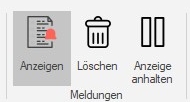
| Menu | Description | |
|---|---|---|

|
Clear | Clears all messages in the window. This function is useful for diagnostics and troubleshooting.. |

|
Pause | Pause the current display in the window. All new messages will be reloaded after the pause is canceled. No information will be lost. |

|
Log File | Current threshold for writing messages to the EasySightPro log file. All messages with a level ≥ the threshold are written to the log file. This function is temporary and the threshold is reset when EasySightPro® is restarted. |

|
Message | Current threshold for displaying messages in the window. All messages with a level ≥ the threshold are displayed. This function is temporary and the threshold is reset when EasySightPro® is restarted. |

|
Excel export | Exports the current view of the window to an Excel (*.xlsx) file. |

|
PDF export | Exports the current view of the window to a PDF file. |