User
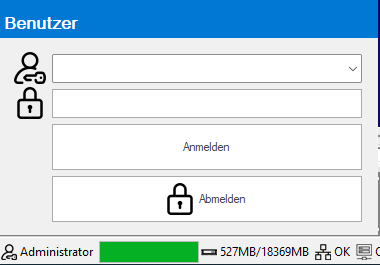
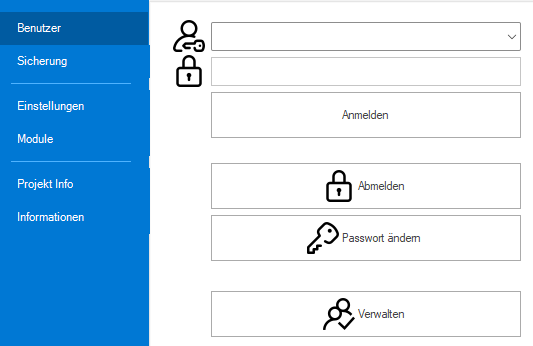
User login and logout can be done via the main menu or the DeepL access in the status bar.
|
User login and logout via EasySightPro® status bar. |
|
EasySightPro® main menu: Log in and log out Change the password User management |
Main menu

|
User selection for logong |

|
Login password |

|
Changing the password (for the currently logged in user) |

|
Manage users: modify, delete, create new users |
User management
In the user administration existing users can be managed and new ones can be added.
Information: 1 user can be defined as the default user. This user is automatically activated when EasySightPro® is started and when logging out.
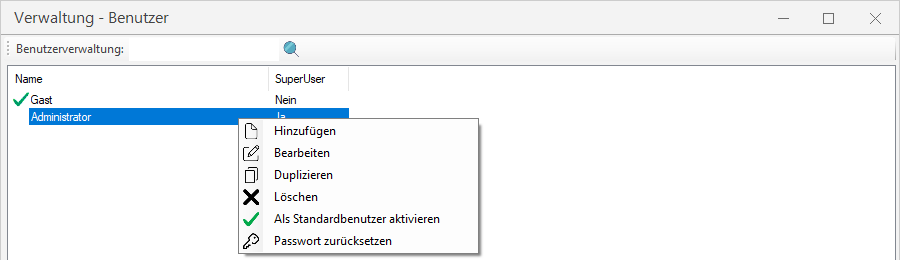
Important: The administrator (super user column) can reset the passwords of all users (empty password).
Rights can be assigned individually per user.
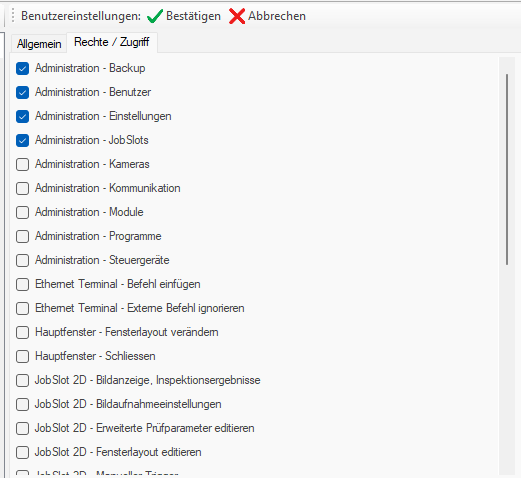
Information: The available rights depend on the loaded modules and change when loading / unloading modules.