Dalsa Linea2 linescan camera
The Dalsa Linea2 is a line scan camera that is not directly compatible with VisionPro. However, it can be integrated into VisionPro using the Teledyne Dalsa Sapera LT Cognex adapter. This requires a few steps.
Tested with:
-
EasySightPro v13.0.6
-
Teledyne Dalsa Sapera LT v9.00
-
Teledyne Dalsa Sapera LT Cognex Adapter v1.39.00.0409
Information: The current Teledyne Dalsa Sapera and Cognex adapters must be installed separately..
 Uninstalling Cognex Ebus drivers
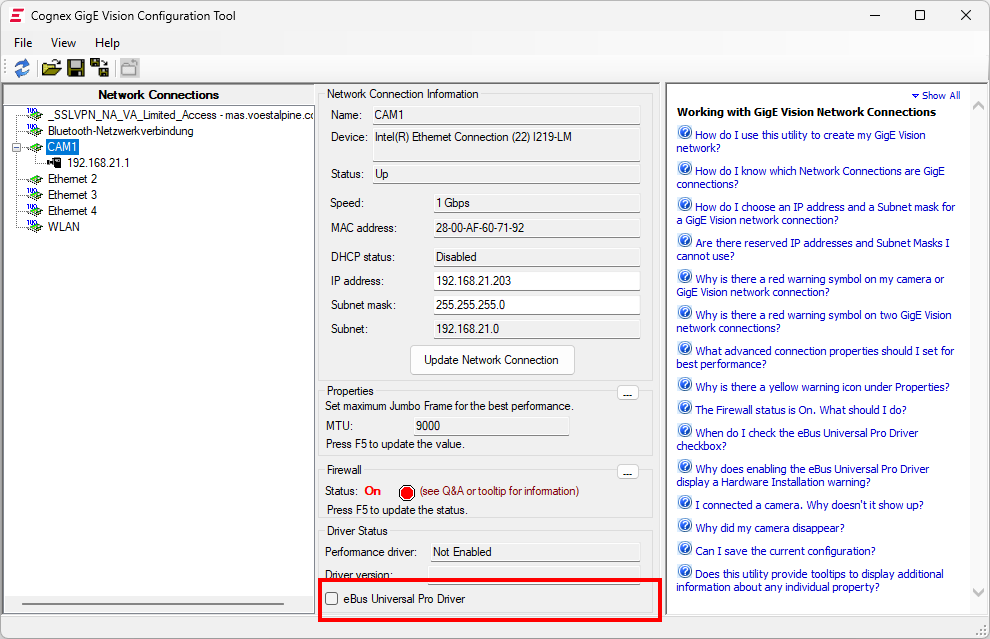
In order for the camera to function smoothly in VisionPro, the Cognex Ebus driver for the affected network card must be uninstalled.
-
To do this, open the Cognex GigE Vision Configurator.
-
Remove ‘eBus Universal Pro Driver’ hooks
Configure Teledyne Dalsa Sapera LT Cognex adapter
Before configuring the camera, please read the adapter's Readme.txt file, as there are a few restrictions, particularly with regard to memory management..
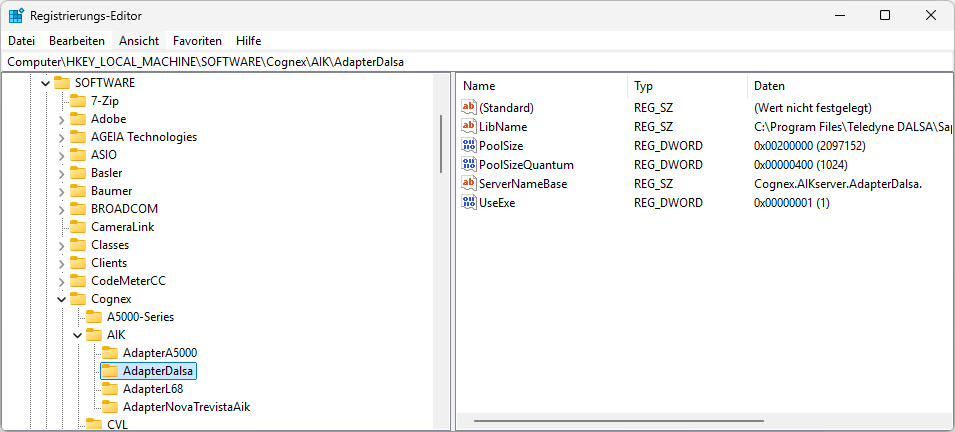
The available pool size must be calculated in advance and set in the Registry Editor.:
-
Key: HKEY_LOCAL_MACHINE\SOFTWARE\Cognex\AIK\AdapterDalsa
-
Set PoolSizeQuantum to Hex 0x400
-
PoolSize to maximum memory in bytes / PoolSizeQuantum
-
Example for 2 GB memory:
-
PoolSizeQuantum: Hexy 0x400 / Dez 1024
-
PoolSize: (2Gb * 1024 * 1024 *1024) / 4096 = Hex 20000 / Dez 2097152
-
Hide GigE device for VisionPro
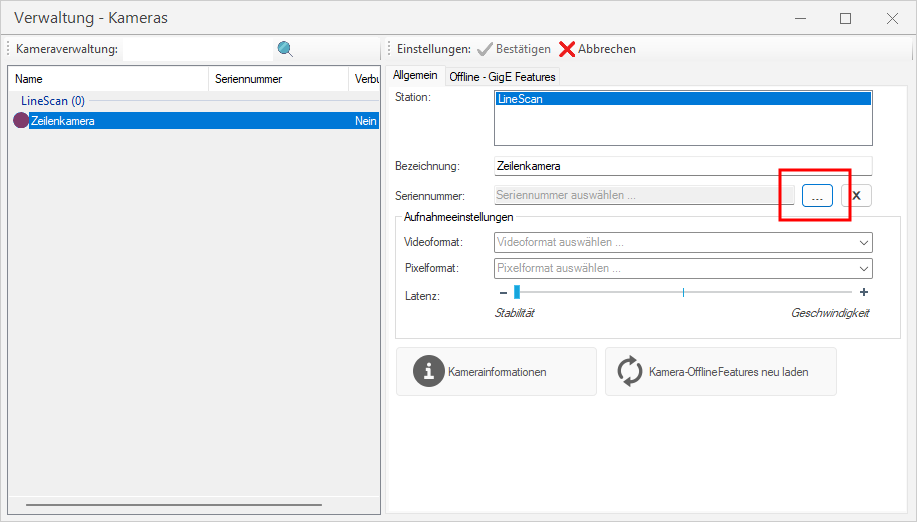
Since a camera can only be connected once via software, the GigE camera must be hidden for VisionPro. This can be done in EasySightPro via camera management.:
-
Open camera management: Administration → Cameras
-
Deactivate the existing GigE Vision camera in the camera browser. By selecting ‘Reserve camera for Trevista’, the camera is hidden in VisionPro via the configuration file..
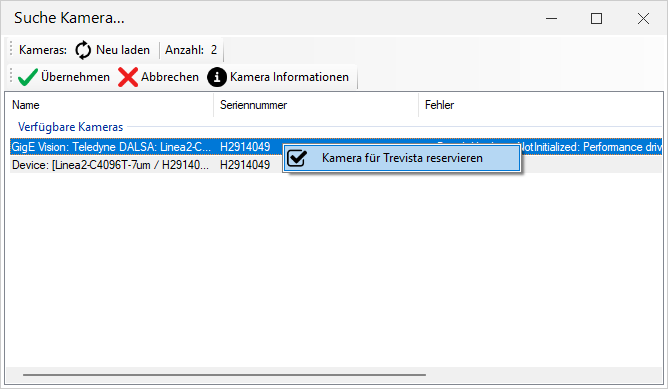
-
Restart EasySightPro to apply the changes.
Integrate Linea2 as a camera using a Teledyne adapter
After Gige Vision has been deactivated, the camera can be integrated into EasySightPro as usual. This camera should be listed as ‘Device: ....’ in the camera browser.:
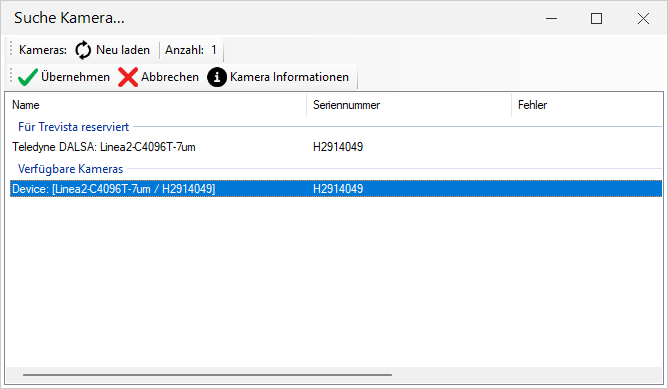
To ensure that the exposure time in EasySightPro can be set as usual for all channels, we recommend setting the ‘Control.exposureTimeSelector’ sensor to ‘All’ in the Offline - GigE Features section of the camera management so that the exposure time for the RGB lines can be set synchronously..

Basic configuration of the camera
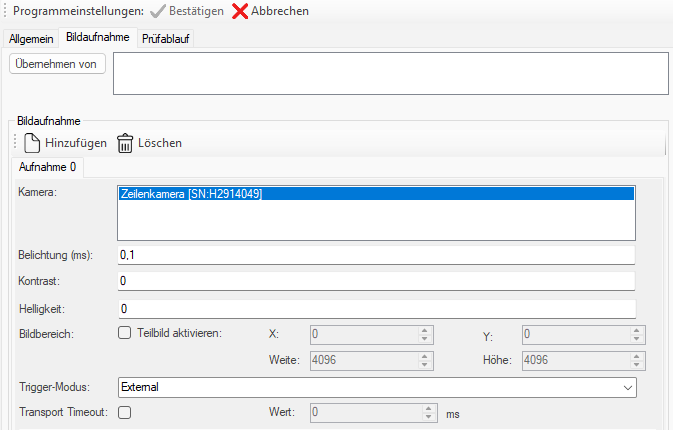
asic configuration of the camera Basic configuration such as digital inputs/outputs and image height should be carried out using Teledyne Sapera CamExpert wherever possible and saved directly in the camera as a UserSet.
In the EasySightPro programme, the ‘External’ grabber mode is recommended and the ‘Activate partial image’ check box should not be selected so that the image height is taken from the saved user set.