Change camera

A camera can be replaced by a simple step. If the Auto-IP feature is activated, it is not necessary to adjust the camera IP address.
Information: Check in advance whether the new and old camera models are compatible, as it may be necessary to adjust the IO interface.
Procedure
-
Close EasySightPro®
-
Replace camera mechanically and connect electrically
-
Start EasySightPro®
-
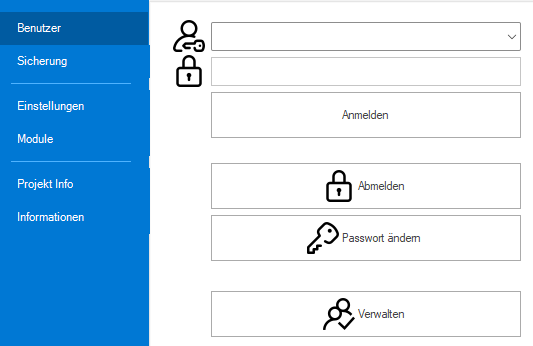
Log in as administrator or user with administration rights

-
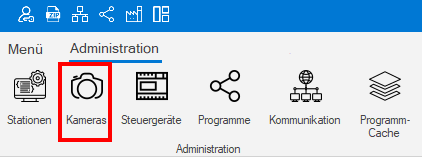
Reassign camera by serial number. Menu: Administration -> Cameras
-
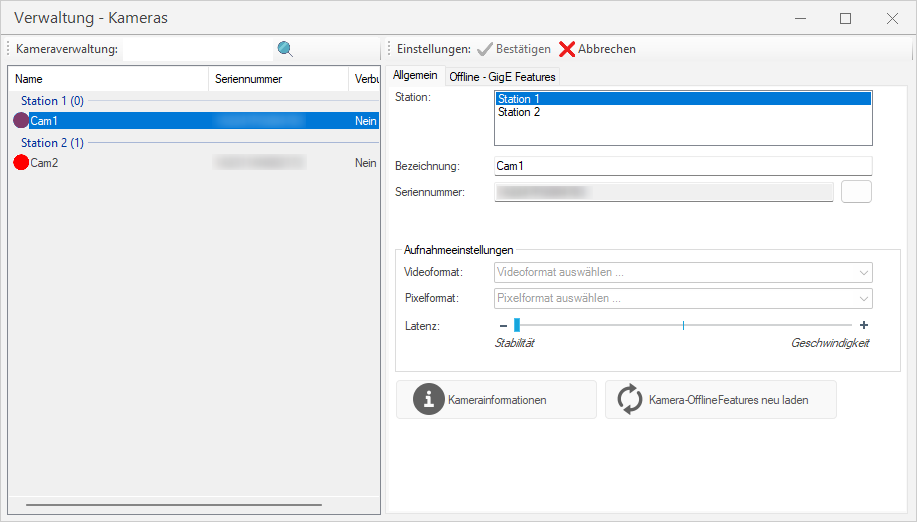
Select the camera to be exchanged and edit it with a double click
-
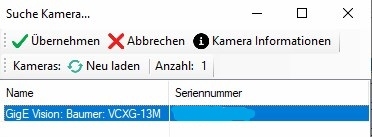
Start the camera search with the button to the right of the serial number field. Select a new camera and end the search with "Apply".
-
Accept changed serial number with "Confirm"
-
In order for the new camera to be loaded, EasySightPro® must be restarted or the affected inspection program must be reloaded
Information: Adjustment of the inspection programs is not necessary if old and new camera are compatible