Profibus Slave
The communication parameters are adjusted in the communication explorer.
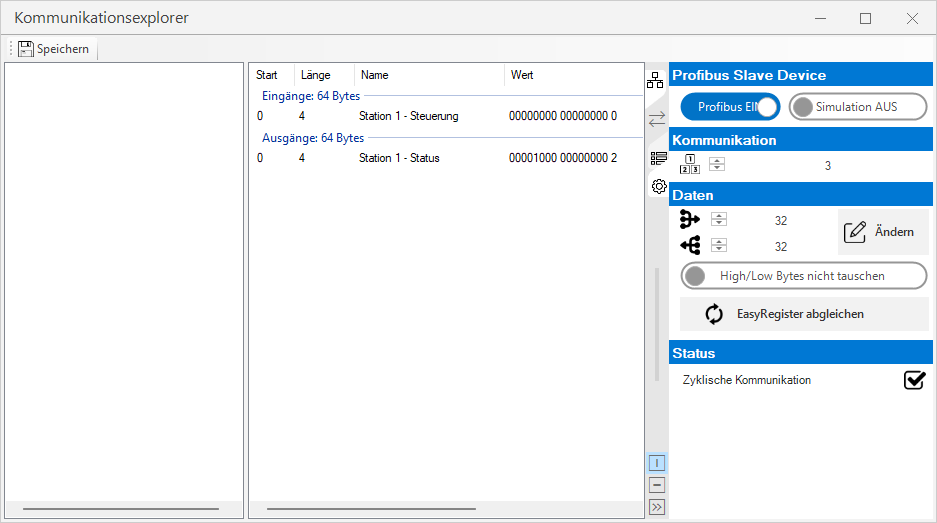
Settings
 Profibus Slave Device
| Profibus | Activates/deactivates communication. |
| Simulation | Activates/deactivates the simulation of the card. This is helpful if no card is installed in the system. |
Communication

|
Node number of the Profibus device. |
Data

|
Number of projected input data in bytes. |

|
Number of projected output data in bytes. |

|
Changes the assignment of the input and output data. |
| Swap High/Low Bytes | This option is active by default with Profinet and should only be changed in special cases. |

|
Synchronises the name and data type for all register transfer modules in the EasyRegister. |
Changing the input/output configuration
The configuration of the Profibus slave device can be configured with Change .
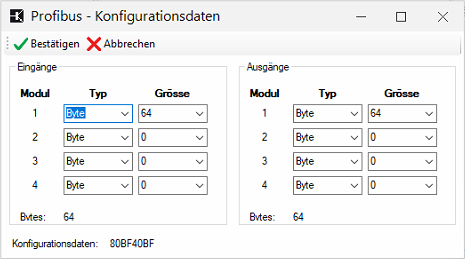
Important: This configuration must be reproduced 1:1 in Step 7 or Tia Portal. Sequence: All outputs followed by all inputs!
Status
| Cyclical communication | Indicates whether the device is configured and ready. |
Operation
Communication Explorer
In the centre section of the communication explorer, you can now right-click to add individual fieldbus blocks or edit or delete existing ones.
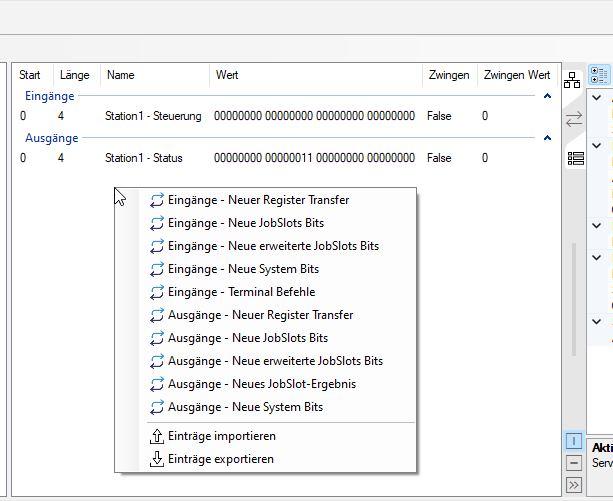
Dockable status window
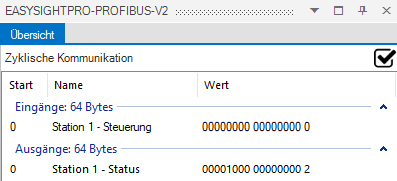
You can access the monitoring and status check via the Administration menu.
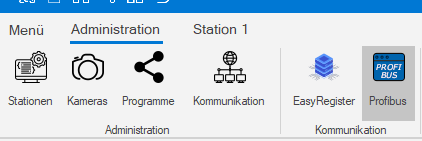
The status and values of the inputs and outputs of the PROFIBUS communication can be monitored here.
PLC integration
GSD File
The latest GSD file is located
-
on the controller under: %ESP_ROOT%\Fieldbus\PROFIBUS\RELI1203.gsd
-
here as download
Insert device in Tia Portal v18
-
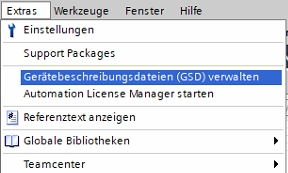
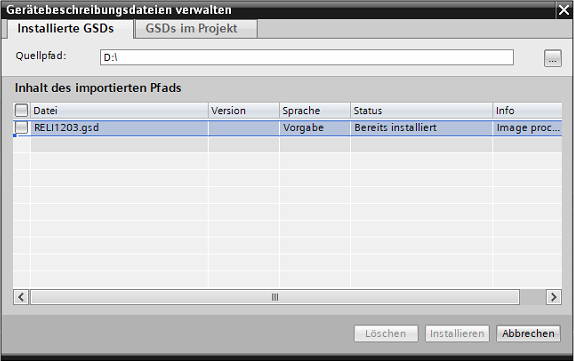
Open Tia Portal project and install GSD file
-
Inserting and configuring the fieldbus card in TIA Portal:
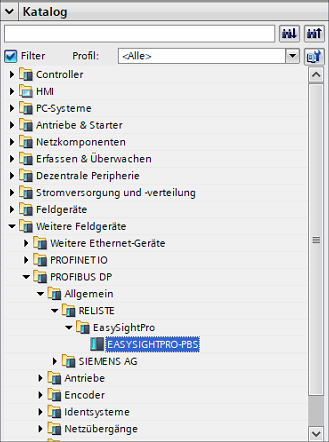
In the catalog: Other Field Devices - PROFIBUS DP - General - RELISTE Ges.m.b.H. - EASYSIGHTPRO-PBS
-
Select interface:
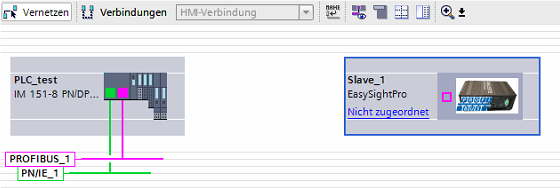
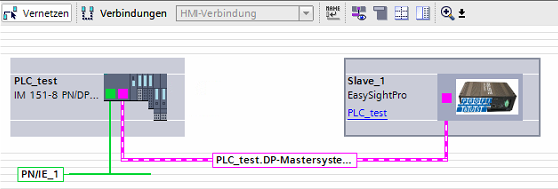
-
Configure input and output modules according to the communication module:
Information: The correct order must be respected here. First all inputs (EasySightPro® outputs) and then all outputs (EasySightPro® inputs).
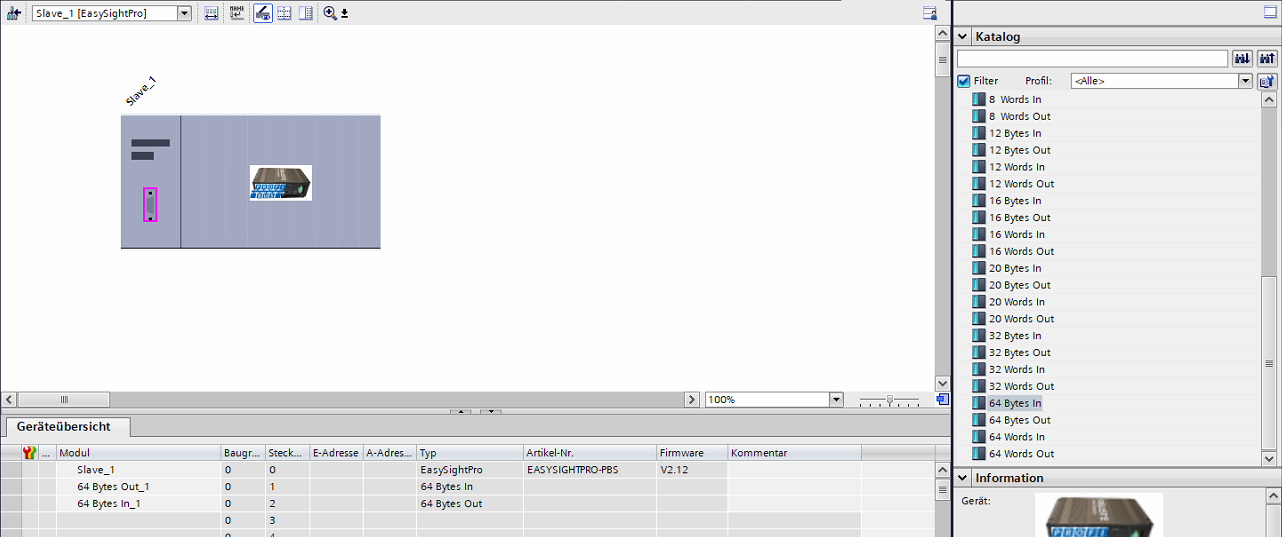
-
Set PROFIBUS address according to configuration:
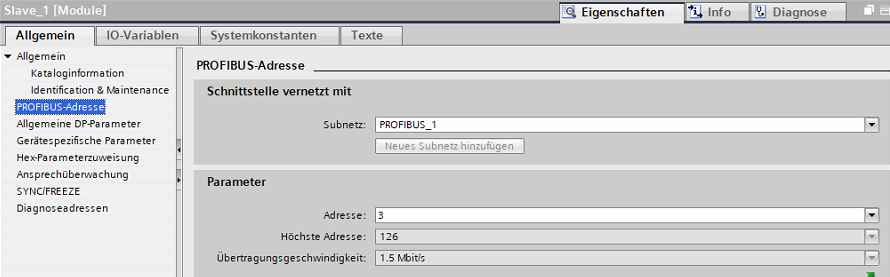
-
Compile project and load into PLC.